
Cancel your domain name
Definitions
All domains registered with us are set to auto-renew for your peace of mind. If you no longer want your domain name, cancel it to turn off auto-renewal, and it will deactivate automatically on its expiry date.
Before you start
🚨 Registrars auto-renew domain names 1–2 days before expiration to prevent lapse or redemption – cancel your domain at least 7 days before the renewal date to avoid charges.
ℹ️ When you cancel your domain name, auto-renewal will be automatically turned off, and your domain name will deactivate on its expiration date.
❌ You cannot delete an active domain registration; you can only cancel it to disable its auto-renew and let it eventually expire.
Step by step
1. Log in to your user dashboard
2. Click on Services from the menu and select Domains

3. Click the arrow → next to the domain name you want to cancel

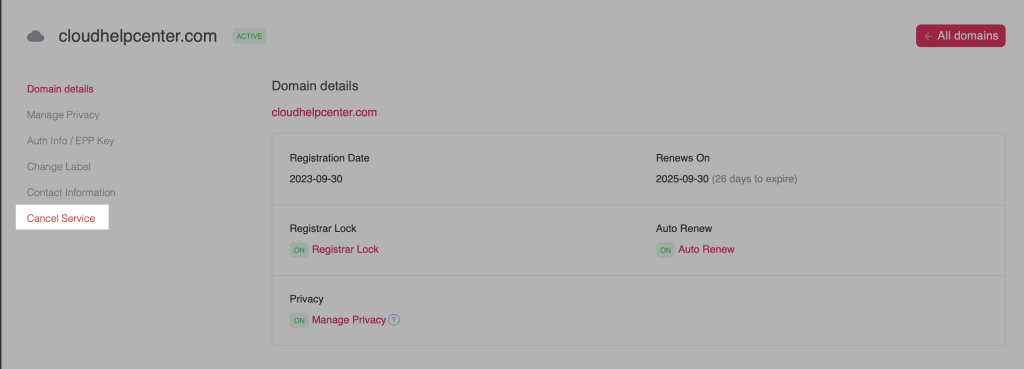
4. On your domain details page, click on Cancel Service
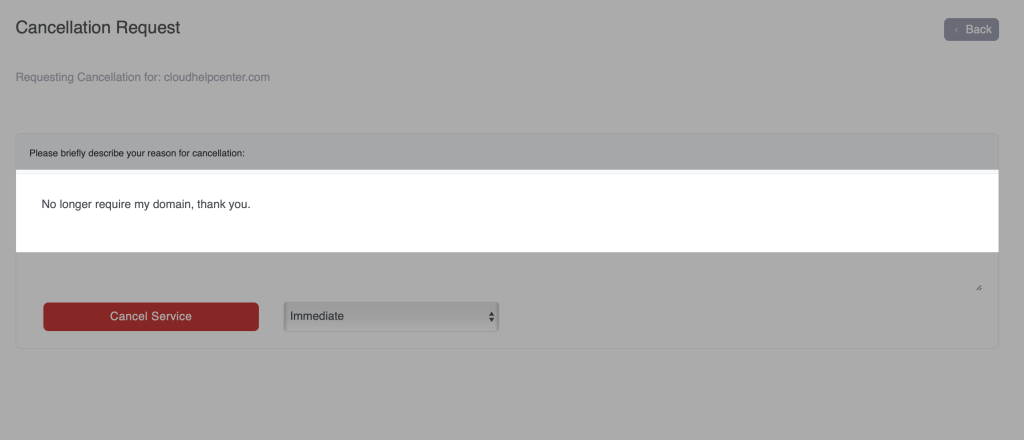
5. In the Briefly Describe your reason for cancellation, put in a message
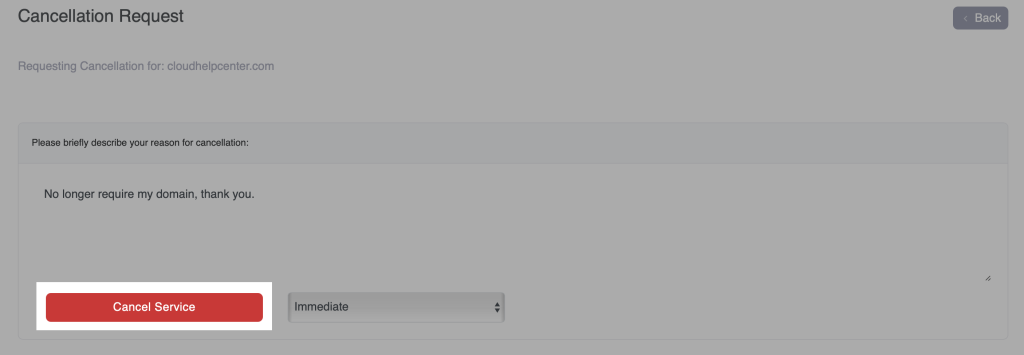
6. Review your request and when ready, click the Cancel Service button.
- 😥 If you cancel your domain service by mistake, open a support ticket with us immediately.
- ‼️ IMPORTANT: Hosting services are NOT canceled when you cancel a domain name service. They must be canceled separately, go to this guide for steps: Cancel your hosting service
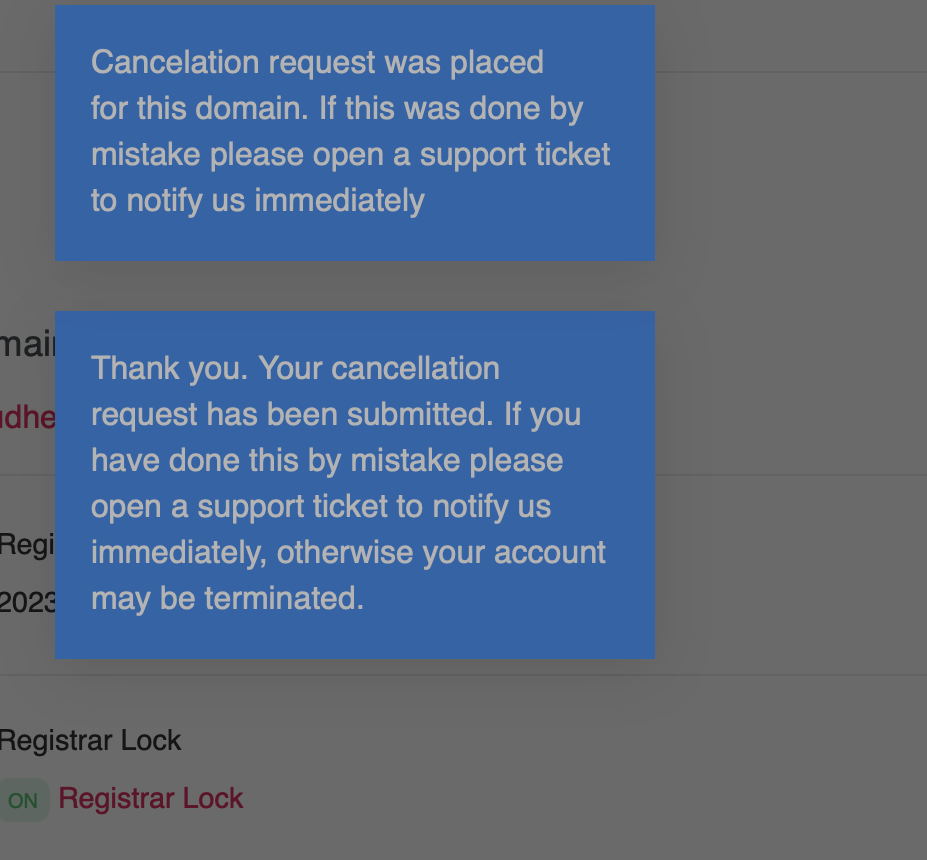
7. You will get a few message popups confirming your cancelation. You can click out of them, or simply refresh your page within your web browser.
8. Go to the Auto Renew section of your domain details page, and make sure the tag says OFF. This means your domain name will expire at the end of its registration period. No further action is required.
